


7 LinkedIn Profile Photo Tips for 2026
Published April 28, 2026
Your LinkedIn photo usually appears at thumbnail size, often before anyone reads your headline, title, or experience. That small image does a lot of work. It shapes whether you look current, credible, and worth a closer look.
A weak photo creates friction fast. Dim lighting can make you look tired. A cropped wedding photo can read as careless. An older image can raise doubts the second someone meets you on video or in person. A strong photo helps the opposite happen. People recognize you, trust the profile faster, and stay on the page long enough to evaluate your work.
Good news. Getting a polished result no longer requires booking a photographer.
Classic headshot rules still matter: light your face well, simplify the background, wear what fits your field, and frame the shot so your expression reads clearly on a phone screen. What has changed is the workflow. You can now apply those same principles with accessible tools, including AI options like FaceJam, to improve or create a professional-looking image without turning this into a full photo shoot. If you need help choosing a setting that keeps attention on your face, this guide to the best background for professional headshots gives you a strong starting point.
These linkedin profile photo tips focus on the decisions that make the biggest difference: visual clarity, industry fit, approachability, digital quality, and consistency across your online presence. The goal is simple. Get you a profile photo that looks like you on your best, most professional day.
1. Use Professional Lighting and Clean Backgrounds
Profiles get judged in seconds, and your photo has one job first. Make your face easy to read.
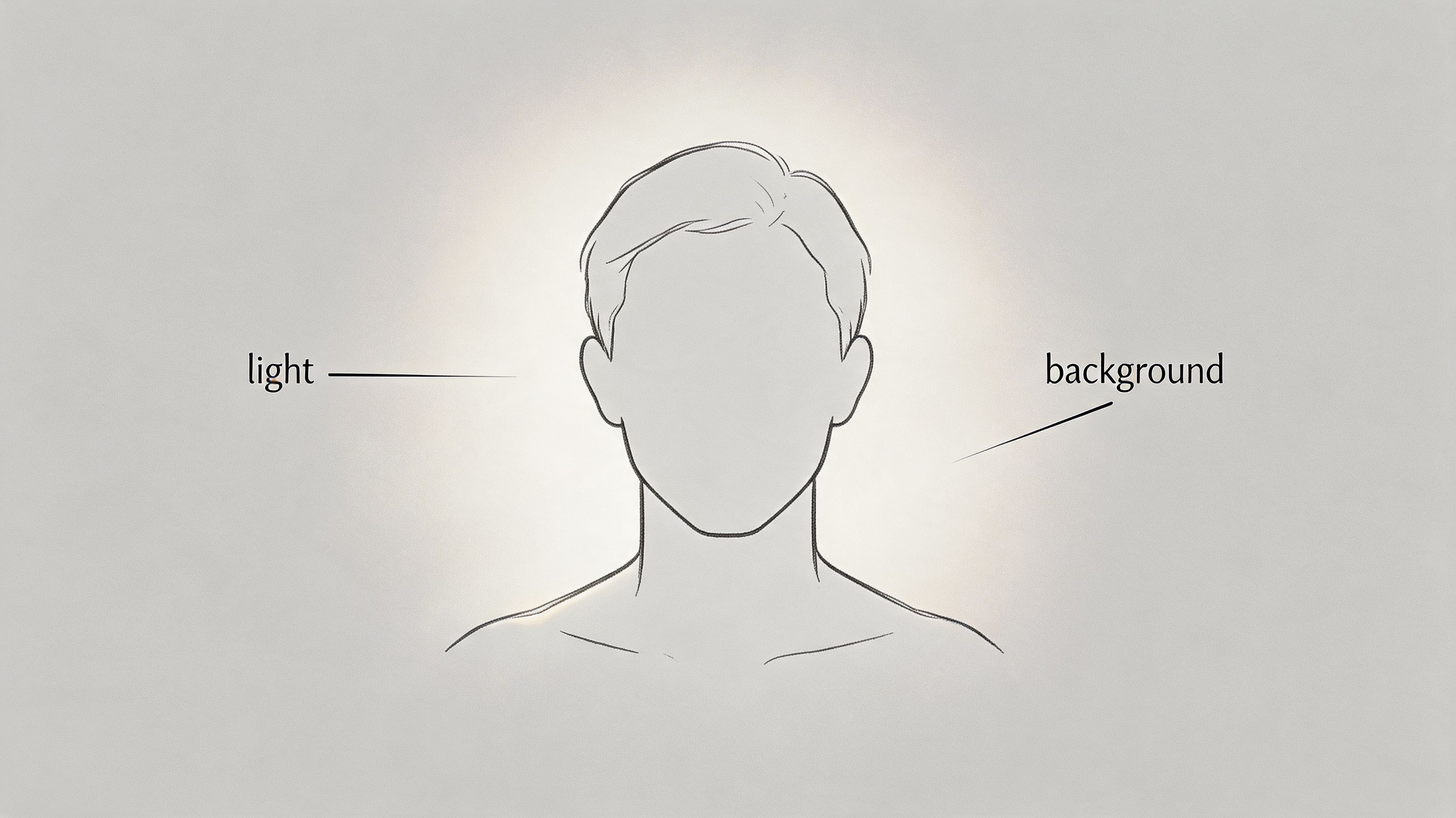
Lighting does more heavy lifting than retouching. Good light clears up under-eye shadows, improves skin tone, and gives your eyes definition. Poor light does the opposite, especially once the image is shrunk to LinkedIn thumbnail size on mobile.
Start with the setup that gives the highest return for the least effort. Face a window. Keep the light in front of you or slightly off to one side. Turn off harsh overhead bulbs if they add shadows across your forehead, nose, or jaw. If one side of your face drops into darkness, rotate a few degrees until both eyes read clearly.
The background needs the same discipline. Clean does not mean sterile. It means nothing in the frame competes with your face. A neutral wall, a tidy office, or a softly blurred setting usually works well. Kitchen counters, crowded bookshelves, parked cars, and random decor often read as accidental, even if the photo itself is sharp.
I tell clients to check one thing before they keep a shot. If your eye goes to the room before it goes to the person, the background is costing you credibility.
What works in practice
Different roles can carry different environments, but the standard stays the same. The setting should support the impression, not become the impression.
A corporate leader can use a restrained office background and look polished. A founder or startup operator can use a plain wall with some depth and keep the image current. A recruiter or salesperson can use a professional indoor setting if it looks deliberate and uncluttered.
If you want help choosing a setting, this guide to the best background for headshots shows which environments photograph cleanly and which ones tend to distract. For wardrobe decisions that match the same polished look, use this advice on how to dress for a professional headshot.
Keep the setup simple
- Face the light: Stand near a window so your face is evenly lit and both eyes are visible.
- Create separation: Leave some space between you and the wall so the image has depth.
- Choose quiet backgrounds: Plain walls, subtle office scenes, and soft blur usually hold up best.
- Test on your phone: A photo that looks fine on a laptop can look muddy or busy at small size.
AI tools can help if you do not have a photographer, and that matters because a lot of job seekers need a strong result today, not after scheduling a shoot. FaceJam is one option for turning decent selfies into more polished headshots with improved lighting and cleaner backgrounds. The trade-off is realism. If skin looks airbrushed, edges look artificial, or the background feels synthetic, use a more natural output. The goal is a photo that looks like you on a very good day, not a generated version of you.
A quick walkthrough can help if you’re setting this up yourself.
2. Dress Appropriately for Your Industry
Clothing shapes credibility fast. Before anyone reads your headline or experience, your outfit helps them decide whether you look aligned with the kind of work you do, or the kind of work you want next.
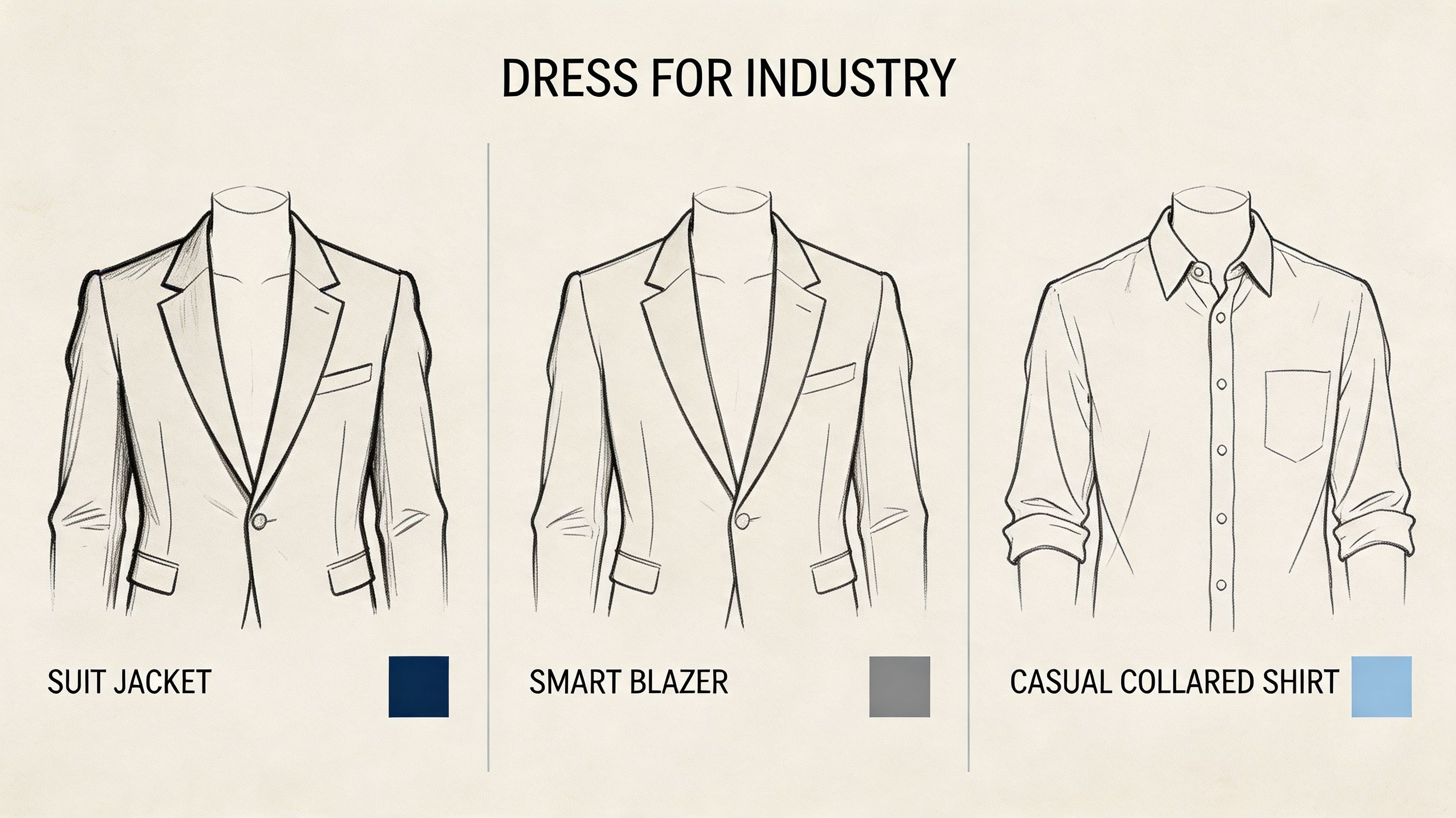
I see two common mistakes. People either show up too casual and look unprepared, or they dress so formally that the photo feels staged for a role they do not work in. Both can hurt trust.
The better standard is simple. Dress one level above your normal workday, then check whether the result still feels natural for your field. Finance, law, consulting, and executive roles usually benefit from sharper structure. Product, design, startups, recruiting, and sales often allow more range, but the photo still has to look deliberate.
Dress for the room you want to enter
Hiring teams and potential clients use visual cues to place you quickly. A wrinkled polo can undercut a legal or corporate profile. A stiff interview suit can also miss the mark if you are targeting a creative team, an early-stage startup, or a founder-led company where polish matters less than relevance.
Fit matters as much as formality. Clean lines, sleeves that sit properly, and a neckline that frames your face well will usually do more for the photo than expensive branding.
If you want outfit ideas that photograph cleanly, this guide on how to dress for a professional headshot covers what tends to work on camera.
What photographs well on LinkedIn
- Choose solid colors first: Navy, charcoal, olive, cream, black, and muted jewel tones usually hold up better than busy prints.
- Skip loud distractions: Large logos, novelty graphics, and trend pieces pull attention away from your face.
- Use structure: Blazers, collared shirts, knit tops, and simple dresses with clean necklines tend to read clearly in a cropped headshot.
- Match your audience: Review team pages and LinkedIn profiles from companies in your target market, then dress within that range.
A good outfit says you understand the professional context.
That does not mean every industry should look the same. A financial analyst might wear a navy blazer with an open collar. A startup founder may look stronger in a dark crewneck under a well-fitted jacket. A real estate agent usually benefits from polished client-facing attire. A creative director can show more personality, but the result still needs to look current and intentional.
AI tools make wardrobe testing easier if you do not want to book multiple shoots. With FaceJam, for example, you can compare a more formal version against a more relaxed one and see which image fits your target role better. The trade-off is believability. If the fabric texture looks synthetic or the outfit feels pasted on, do not use it. The best result looks like you, dressed well, on a strong professional day.
3. Maintain a Genuine Smile and Approachable Expression
A strong LinkedIn photo often succeeds or fails on expression before anyone notices your jacket, crop, or background. People make fast judgments from faces. If your expression feels tense, distant, or overly polished, the photo creates friction.
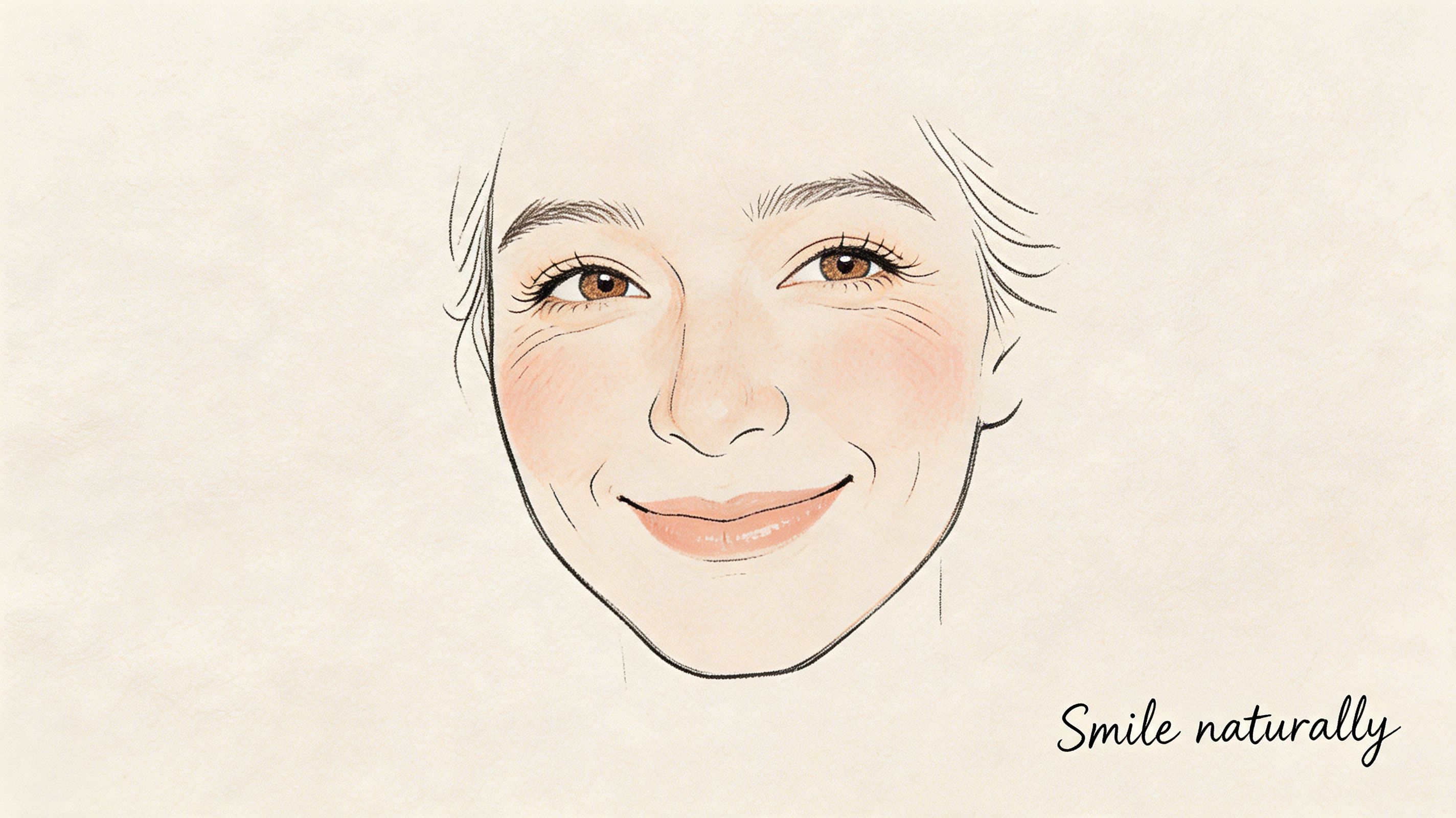
The target is simple. Look like someone a colleague, recruiter, or client would feel comfortable messaging.
On LinkedIn, a believable smile usually outperforms a dramatic one. A huge grin can read casual. A flat, serious face can read guarded. The sweet spot is a relaxed expression with some warmth in the eyes and a mouth position that looks natural for you.
I tell clients to stop chasing "impressive" and start chasing "credible and easy to approach." That shift usually improves the photo fast.
Use the conversation test
A good expression should look like the version of you that shows up in the first 30 seconds of a strong meeting. Calm. Alert. Open. That is very different from the tight smile people force when they know a camera is on them.
If you're unsure, use this test. Would this face make a stranger feel welcome to start a professional conversation? If not, keep shooting.
Different roles need different levels of warmth. Recruiters, consultants, account managers, founders, and real estate professionals usually benefit from a clearer smile because trust and accessibility are part of the job. Engineers, analysts, and technical specialists can keep it more restrained, but restrained still needs to look engaged.
What improves expression on camera
- Exhale before the shot: Tension shows up in the jaw, lips, and eyes.
- Focus on a real person: Look at the lens as if you're greeting someone you respect.
- Take multiple frames in a row: The strongest image often appears right after the posed smile drops into something more natural.
- Watch the eyes: If the mouth is smiling but the eyes look tired or blank, the photo will feel off.
- Match the smile to the role: Relationship-heavy roles can go warmer. More technical roles can stay subtle.
AI headshots add a modern option here, but expression is where weaker tools often break. Teeth get too white, skin gets too smooth, and the eyes lose their natural detail. FaceJam can help you test refined variations without booking another shoot, which is useful if you want a more approachable version of the same photo. The trade-off is realism. If the smile looks edited instead of lived-in, skip it.
That same rule applies if you're shooting with a webcam or hybrid setup. The camera matters less than the expression, but sharper gear gives you more usable frames to choose from. If you work from a desk setup, comparing the best 4K streaming cameras can help you get cleaner facial detail before you edit or crop.
One more practical point. Do not pick the photo where you look the most serious unless seriousness is part of your professional brand and even then, be careful. Credibility comes from clarity, confidence, and ease. On LinkedIn, approachable competence usually wins.
4. Ensure Clear, High-Resolution Headshots Optimized for Digital Display
A profile photo can look strong full-size and still fail once LinkedIn shrinks it into a tiny circle. That is the ultimate test.
LinkedIn compresses images and displays them across different layouts, so detail gets lost fast. Start with a sharp square image, ideally at least 800 by 800 pixels, so your face still looks clean after cropping and compression. If you upload a soft, low-quality file, LinkedIn will not rescue it.
Sharpness beats expensive gear. I have seen phone portraits outperform DSLR shots because the phone image was well lit, in focus, and exported properly. What matters on screen is clear facial detail, clean edges, and enough resolution to survive digital display.
Optimize for thumbnail size, not just full-screen quality
Your photo needs to work at a glance. On mobile, recruiters and hiring managers often see your image as a small thumbnail beside your name, headline, or comment. If your eyes disappear, the crop feels loose, or the file looks muddy, the image loses impact before anyone opens your profile.
Use the best original file you have. Skip screenshots, downloaded social avatars, and old files that have already been compressed multiple times. Export a fresh version, upload it, then check it on both desktop and phone.
That simple preview catches problems fast.
For candidates targeting distributed teams, polished digital presentation matters across every touchpoint, and strong source quality supports that. If remote work is part of your plan, these 2026 remote job search strategies pair well with a profile image that holds up on small screens.
For people creating their own headshots or video-based portraits, this roundup of best 4K streaming cameras is useful if you want sharper source images before cropping for LinkedIn.
Technical habits that improve image quality
- Upload a square image: You get cleaner control over LinkedIn's circular crop.
- Use the original file: Re-saved images lose detail fast.
- Move closer instead of zooming: Digital zoom reduces clarity.
- Check the crop at small size: Your face should stay readable in thumbnail view.
- Keep facial features crisp: Eyes, hairline, glasses, and jawline should look natural, not smeared.
Clear resolution signals care and competence. A blurry photo creates doubt, even when your experience is strong.
AI tools can help if your starting point is a decent selfie rather than a studio headshot. FaceJam is useful for generating polished variations that fit LinkedIn, resumes, and company directories without hiring a photographer. The trade-off is inspection. If the skin texture turns waxy, glasses warp, or shirt fabric looks synthetic, use a different output or stick with the original photo.
5. Create Consistency Across Your Professional Photo Presence
Recruiters, clients, and hiring managers often see your face before they read a single line of your experience. If your photos change wildly from one platform to the next, recognition drops and trust has to restart each time.
A strong LinkedIn photo should not live in isolation. It should match the version of you that appears on your company bio, portfolio, speaker page, resume sidebar, and application profiles. The goal is simple. Make it easy for someone to know they found the right person, fast.
Many professionals create avoidable friction regarding their profile photos. A polished LinkedIn headshot paired with an old conference crop, a casual social-style avatar, or a heavily edited company photo makes your brand feel scattered. People may not say it out loud, but they register the mismatch.
Consistency does not mean using the exact same image everywhere. It means your photos should feel related. Similar lighting. Similar wardrobe category. Similar expression. Similar crop. A current version of your face.
What consistent photo presence actually looks like
For job seekers, consistency helps your LinkedIn profile, resume, portfolio, and application accounts support the same story. For founders, it makes your personal brand and company presence look intentional. For teams, it prevents the “everyone uploaded whatever they had” problem that makes a business look less established than it is.
I usually recommend one anchor image first. Then build two or three variations from that same shoot or source photo set for different uses. That gives you flexibility without visual drift.
If you are creating those variations yourself, AI can help. FaceJam is useful here because it can turn one solid source image into multiple polished versions that still look like the same person, which is often enough for LinkedIn, team pages, and speaker bios. The trade-off is quality control. Check every output for altered facial structure, fake-looking fabric, or backgrounds that feel too generic.
If you need help varying poses without losing brand consistency, this guide on how to pose for a professional headshot is a practical place to start.
Keep your photo presence aligned
- Choose one primary headshot: Use it on your highest-visibility platforms first.
- Create related versions from the same source: Small changes in crop, background, or pose are fine if the overall identity stays stable.
- Update major profiles at the same time: LinkedIn, company page, personal site, and speaker bios should not show different eras of your career.
- Match the level of formality to your field: A startup founder, attorney, and designer can all look professional, but not in the same way.
- Check every image side by side: If one looks dramatically older, more casual, or more filtered, replace it.
A startup leadership team is a good test case. If one founder uses a studio portrait, another uses a vacation photo, and the third has a dark webcam screenshot, the company looks patched together. A coordinated set instantly reads as more credible.
The same principle helps in remote hiring. If you are applying across multiple platforms and want your online presence to support the same professional narrative, these 2026 remote job search strategies work better when your photo presence is consistent everywhere.
6. Position Yourself Correctly with Proper Framing and Angles
A strong LinkedIn photo usually succeeds or fails on framing before anyone notices your jacket, background, or editing. Good positioning makes you look clear, competent, and easy to trust at thumbnail size. Bad positioning makes even a well-lit photo feel amateur.
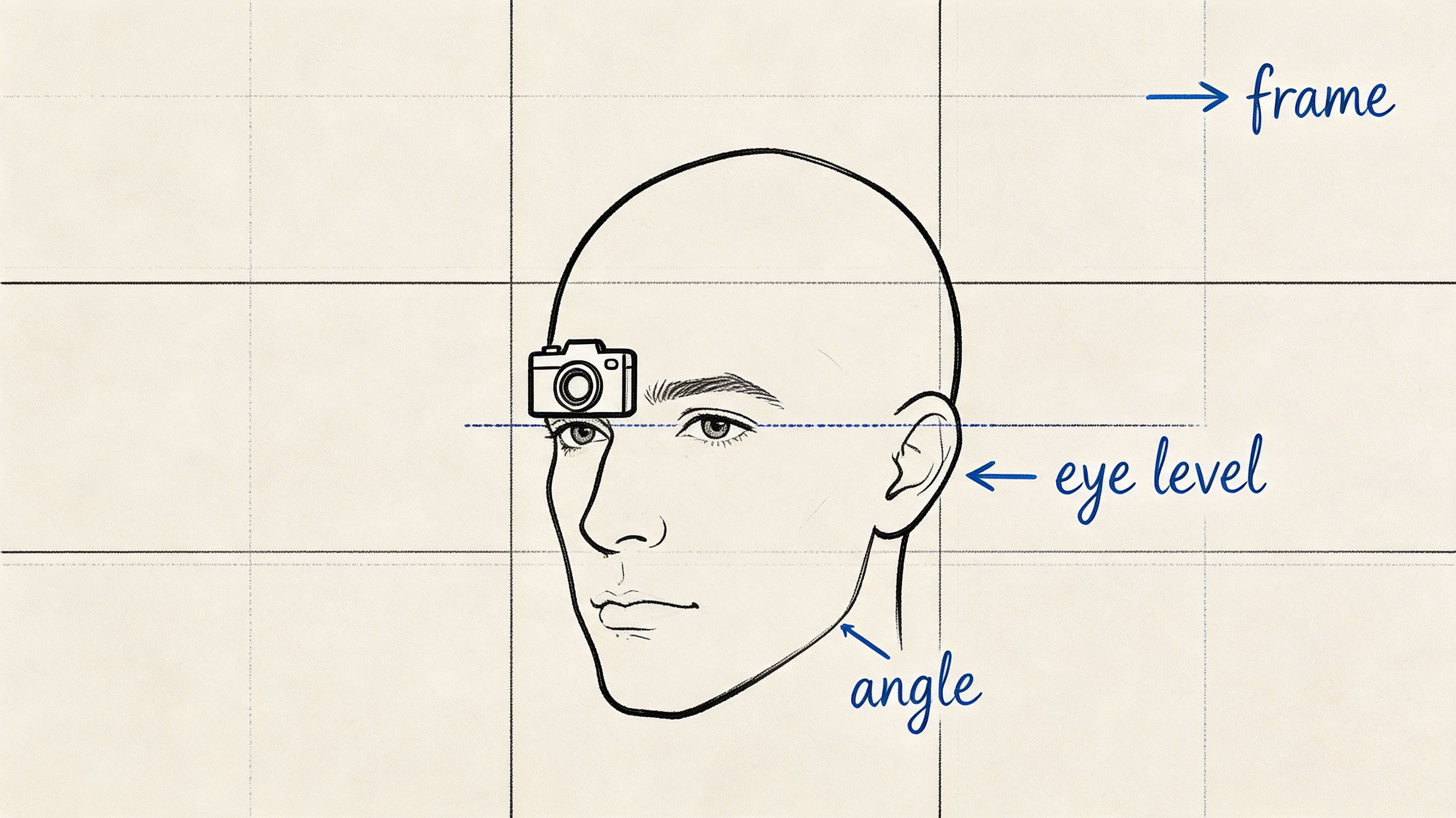
Use a head-and-shoulders crop. Keep the camera at eye level. Turn your body slightly if that helps you look more natural, but keep your eyes on the lens. That combination works because it reads well on both desktop and mobile, and it keeps attention on your face instead of the setup.
The goal is simple. Someone should recognize you instantly, without squinting, zooming in, or wondering who the profile belongs to.
The framing that performs best
LinkedIn displays your image in a small circular crop, so wide compositions usually lose impact. Full-body shots, conference photos, and scenic portraits often look impressive in a portfolio or on an About page, but they break down fast in a profile image. Your face needs to take up enough space to stay readable after the crop.
A useful rule is to frame from mid-chest or upper torso upward, with a small amount of space above your head. If your face looks tiny before upload, it will look worse once LinkedIn crops it.
Angles matter too. A low camera angle can make you look imposing in the wrong way. A high angle can make you look smaller or less grounded. Eye level is the safe default because it feels direct and balanced.
If you want examples of poses that look natural without drifting into stiff or over-rehearsed, this professional headshot posing guide gives practical setups you can copy.
Quick fixes that improve positioning fast
- Raise or lower the camera to eye level: This corrects a lot of awkwardness immediately.
- Crop tighter than you think: Face and shoulders should carry the image.
- Keep your chin neutral or slightly forward: This sharpens the jawline without looking forced.
- Angle the body a little, not dramatically: Small adjustments look polished. Heavy turns look staged.
- Check the circular preview before you finalize: A crop that looks fine in a rectangle can fail inside LinkedIn’s frame.
AI tools can help here if you do not have a photographer. FaceJam, for example, makes it easier to test cleaner crops, more balanced angles, and polished headshot variations from a strong selfie. The trade-off is that you still need to choose the version that looks like you. Better framing helps. Over-editing hurts.
I see this mistake often with founders, consultants, and speakers. They choose a wide shot because it feels more editorial or high-status. On LinkedIn, that usually costs clarity. A tighter crop with a calm eye-level angle tends to project more credibility, even if the original photo was taken at home instead of in a studio.
7. Update Your Photo Regularly to Stay Current and Relevant
A LinkedIn photo loses value the moment it stops looking like the person who shows up on Zoom, in interviews, or across the table at a client meeting.
That mismatch creates friction fast. People may not say, “this photo is outdated,” but they notice when the headshot feels tied to an earlier role, an older style, or a version of you that no longer matches your work. On a platform built around professional trust, that gap costs you.
I tell clients to treat their profile photo like any other brand asset. Review it every 12 to 24 months, and sooner if your appearance, role, or positioning changes. A strong photo is not just flattering. It should signal your current level, your field, and the kind of opportunities you want next.
The trade-off is simple. An older professional headshot can still look polished, but polish is not enough if it no longer feels current. A newer image taken with good judgment often performs better than an expensive photo from five years ago that no longer reflects you.
AI tools have made this update cycle easier. If booking a photographer keeps slipping down your list, FaceJam can help you turn a strong selfie into a current, professional-looking headshot with better consistency in styling and finish. The standard still matters. Choose a result that looks like you on a very good day, not a synthetic version of you.
Good reasons to refresh sooner
If any of these apply, replace the photo now instead of waiting:
- Your appearance changed in a noticeable way: Hair, glasses, facial hair, weight change, or overall style.
- Your role changed: A first-time manager, founder, consultant, or executive usually needs a different visual signal than an early-career employee.
- Your industry changed: A photo that fit agency life, academia, or startup culture may not support your next move.
- Your branding matured: Better positioning often calls for a stronger, more intentional image.
- People would hesitate for a second before recognizing you: That is enough reason to update it.
One practical rule helps here. If a new contact would be mildly surprised when you join the call, the photo is old.
That is the standard. Recognition first, polish second.
7-Point LinkedIn Profile Photo Comparison
| Practice | Implementation complexity | Resource requirements | Expected outcomes | Ideal use cases | Key advantages |
|---|---|---|---|---|---|
| Use Professional Lighting and Clean Backgrounds | Medium, requires setup or AI templates | Moderate–High, lighting gear or studio / AI template subscription | Polished, shadow-free photos that improve first impressions | All industries, executives, client-facing roles | Immediate professional credibility, increased profile views |
| Dress Appropriately for Your Industry | Low–Medium, select industry-aligned outfits | Low–Medium, existing wardrobe or targeted purchases | Signals cultural fit and professionalism | Industry-specific roles (finance, law, tech, creative) | Communicates trust, cohesive personal brand |
| Maintain a Genuine Smile and Approachable Expression | Low, practice and direction needed | Minimal, coaching, practice shots, or AI expression variants | Higher engagement, perceived warmth and trustworthiness | Sales, HR, client-facing, networking | Increases memorability and connection |
| Ensure Clear, High-Resolution Headshots Optimized for Digital Display | Medium–High, capture and processing skills required | High, quality camera or professional service, storage/editing | Crisp images across devices, suitable for print and reuse | Executives, resumes, marketing materials, real estate | Professional presentation, flexible cropping/printing |
| Create Consistency Across Your Professional Photo Presence | Medium, requires guidelines and coordination | Medium–High, multiple sessions or templating tools | Strong brand recognition and unified appearance | Teams, corporate directories, personal branding | Builds trust, improves identifiability and cohesion |
| Position Yourself Correctly with Proper Framing and Angles | Low–Medium, practice or guided setup | Minimal, camera/tripod or mobile + guidance | More flattering, confident-looking headshots | All professional headshots, founders, actors | Enhances confidence, approachability, visual balance |
| Update Your Photo Regularly to Stay Current and Relevant | Low, scheduling and periodic refreshes | Low–Medium, new photos or subscription updates | Maintains accuracy, signals activity and relevance | Job seekers, career changers, client-facing professionals | Keeps profile current, increases recruiter interest |
Your Quick-Action Checklist for a Perfect Profile Photo
A strong LinkedIn photo isn't about looking glamorous. It's about looking clear, current, credible, and easy to trust. That's the standard that gets results.
Start with the biggest wins first. Use soft, flattering light and a background that doesn't compete with your face. Dress for the role and industry you're targeting, not for a generic idea of “professional.” Choose an expression that feels natural and open. If you look stiff, distant, over-edited, or too casual, people will feel that before they read a single line of your profile.
Next, tighten the technical side. Use a high-resolution image, crop it for LinkedIn’s circular display, and check how it appears on your phone. Keep your face prominent in the frame, your eyes visible, and your angle natural. Most profile photo problems aren't complicated. They're usually bad light, weak crop, poor background choice, outdated styling, or an expression that doesn't match the role.
Consistency also matters more than people expect. When your LinkedIn photo matches your company bio, personal site, speaking profile, or job application materials, you become easier to recognize and remember. That’s useful for job seekers, founders, recruiters, sales professionals, and teams trying to present a polished brand.
If your current photo is several years old, no longer looks like you, or reflects the wrong stage of your career, replace it. Don't wait for the “perfect” time. A current, credible image almost always beats an old professional shot that no longer represents you. The best photo is the one that helps the right people trust you now.
If you don't want to organize a full photoshoot, tools like FaceJam can be a practical option. FaceJam turns selfies into professional headshots and offers multiple style templates, which can help if you need LinkedIn-ready options for resumes, applications, company directories, or team profiles. The smart way to use a tool like that is to stay selective. Choose the outputs that look natural, current, and believable, and skip anything that looks too polished to be true.
Use this checklist before you upload:
- Lighting: Is your face evenly lit and easy to read?
- Background: Does anything distract from you?
- Clothing: Would this make sense in your target industry?
- Expression: Do you look approachable and confident?
- Resolution: Does the image stay sharp on mobile?
- Crop: Is your face large enough in the frame?
- Consistency: Does it match your broader professional brand?
- Recency: Does it still look like you today?
These linkedin profile photo tips aren't cosmetic tweaks. They're part of how you get found, how you’re perceived, and whether someone decides to click, connect, message, or move on. Your next opportunity may start with a thumbnail. Make that thumbnail work for you.
If you want a faster way to create a polished LinkedIn-ready headshot from selfies, FaceJam is worth a look. You can generate multiple professional photo options, compare styles, and choose the version that feels most natural for your industry, your brand, and where your career is heading.


