


How to Optimize Linkedin Profile for Job Search
Published May 1, 2026
You’ve probably had this experience already. You update your LinkedIn profile, apply to roles you can do well, maybe even better than most applicants, and then nothing happens. Few views. No recruiter messages. No real signal that your profile is helping your search.
That usually isn’t a talent problem. It’s a visibility problem.
Most LinkedIn advice is stuck in an older job market where a “complete profile” was enough. It isn’t enough now. If you want to understand how to optimize linkedin profile for job search in 2026, you have to think like both a recruiter and a search system. Your profile has to pass a machine filter first, then win a human decision in seconds.
Why Your LinkedIn Profile Fails to Attract Recruiters
A lot of job seekers still believe LinkedIn works like a digital business card. Fill in the sections, upload a decent photo, list your jobs, and recruiters will somehow find you. That’s outdated.
Recruiters increasingly search inside tools that rank candidates before a human ever reads the full profile. One source notes that recruiters need profiles to rank within “the first 50 entries out of what may be 17,000 potential candidates” in AI-powered search environments, which is exactly why generic profiles disappear from view (BridgeView IT on optimizing LinkedIn for job search).
The practical problem is simple. If your profile doesn’t mirror the search language recruiters use, LinkedIn can treat you like a weak match, even when your background is strong. That’s why “I have all the right experience, but no one contacts me” is so common.
Old advice that stops working
Many profiles fail because they rely on habits that feel professional but don’t improve discoverability:
- Vague headlines that say almost nothing beyond a current title
- About sections full of personality, but light on target keywords
- Experience entries that describe duties instead of outcomes
- Skills lists packed with everything, instead of the skills tied to target roles
- Photos that look casual, outdated, or inconsistent with the role you want
There’s a second blind spot too. Job seekers often optimize resumes and ignore LinkedIn, even though the same screening logic often affects both. If you’re trying to understand the broader filtering system, this AI resume screening guide is useful context because it explains how machine-led evaluation changes what gets seen first.
Your LinkedIn profile is no longer just a profile. It’s a searchable candidate record competing for rank.
A better approach is to treat LinkedIn like a landing page built for recruiter queries. Every visible choice matters, from your photo to your headline to the words in your first few lines. If you want a deeper look at recruiter attention patterns, this guide on how to get noticed by recruiters on LinkedIn is worth reading alongside your profile rewrite.
Master Your First Impression With Visual Branding
Before a recruiter reads your achievements, they react to your presentation. That reaction isn’t shallow. It’s practical. People use quick visual cues to decide whether a profile looks current, credible, and worth a closer look.
One overlooked fact is that recruiters often spend only 10-20 seconds reviewing profiles, and profile photo quality is a major gap in most optimization advice (MyPivot on optimizing your LinkedIn presence). That means your visual branding isn’t decoration. It’s the first filter.

Start with the profile photo
Your profile photo has a technical side and a trust side. Both matter.
Technical guidance for LinkedIn profile images is clear. Use a minimum of 400 x 400 pixels and use a recent headshot from within the last 2-3 years. Using an outdated photo creates an expectation mismatch during interviews and can damage credibility before the conversation starts (KDnuggets LinkedIn profile optimisation guide).
That sounds basic, but a surprising number of profiles miss it. The common misses are easy to spot:
- Old image that no longer looks like you
- Crop from a wedding or group shot that signals “I didn’t prepare”
- Over-edited selfie that feels less trustworthy than a clean headshot
- Dark or low-contrast photo where your face isn’t instantly clear
What works better is simple and specific.
- Face visibility first. Your face should be easy to read at thumbnail size.
- Neutral or professional background. Busy environments compete with your expression.
- Industry-aligned clothing. You don’t need to overdress, but you do need to look like someone in the roles you want.
- Current likeness. If you show up to an interview looking noticeably different from your photo, the disconnect hurts trust.
Practical rule: If your photo would look odd on a company team page, it probably doesn’t belong on LinkedIn.
Your banner should reinforce your positioning
Many LinkedIn users either ignore the banner or use a random skyline. That wastes valuable space.
A good banner does one of three things:
| Banner approach | Best for | What to include |
|---|---|---|
| Role-focused | Active job seekers | Target role, specialty, and clean visual branding |
| Portfolio-focused | Creatives, marketers, product people | Work samples, categories, or a simple brand line |
| Industry-focused | Career changers | A visual bridge into the field you’re targeting |
Keep it restrained. Don’t turn it into a billboard with tiny text. A recruiter should understand it at a glance. If your profile photo says “professional,” your banner should say “relevant.”
Clean up your custom URL
Your LinkedIn URL is a small detail with outsized impact. A custom URL looks more polished on resumes, email signatures, and portfolios. It also signals that you manage your profile intentionally.
Use your name if possible. If your name is common, add a professional modifier. Keep it clean. Avoid cluttered strings of numbers.
Visual branding mistakes that quietly cost you interviews
A lot of candidates lose momentum because they create friction before anyone reads the profile. Watch for these:
Mismatch between photo and role target
A candidate pursuing senior leadership roles shouldn’t look like they grabbed a casual social image five minutes earlier.Visual inconsistency
Sharp photo, messy banner, default URL, weak headline. That combination feels unfinished.Trying too hard to look creative
Unless your field rewards bold visual experimentation, clarity beats cleverness.Ignoring mobile view
Recruiters don’t always review profiles on a large desktop monitor. Check how your image and banner appear on mobile too.
For more practical examples on choosing and improving a stronger profile image, see these LinkedIn profile photo tips.
Craft a Headline and About Section That Converts
The headline and About section do most of the heavy lifting above the fold. They tell LinkedIn what you are, tell recruiters what you do, and tell both why you’re relevant now.
This space is often wasted. Individuals write a headline that repeats their current title and an About section that reads like a general biography. That feels polished, but it doesn’t convert recruiter attention into contact.
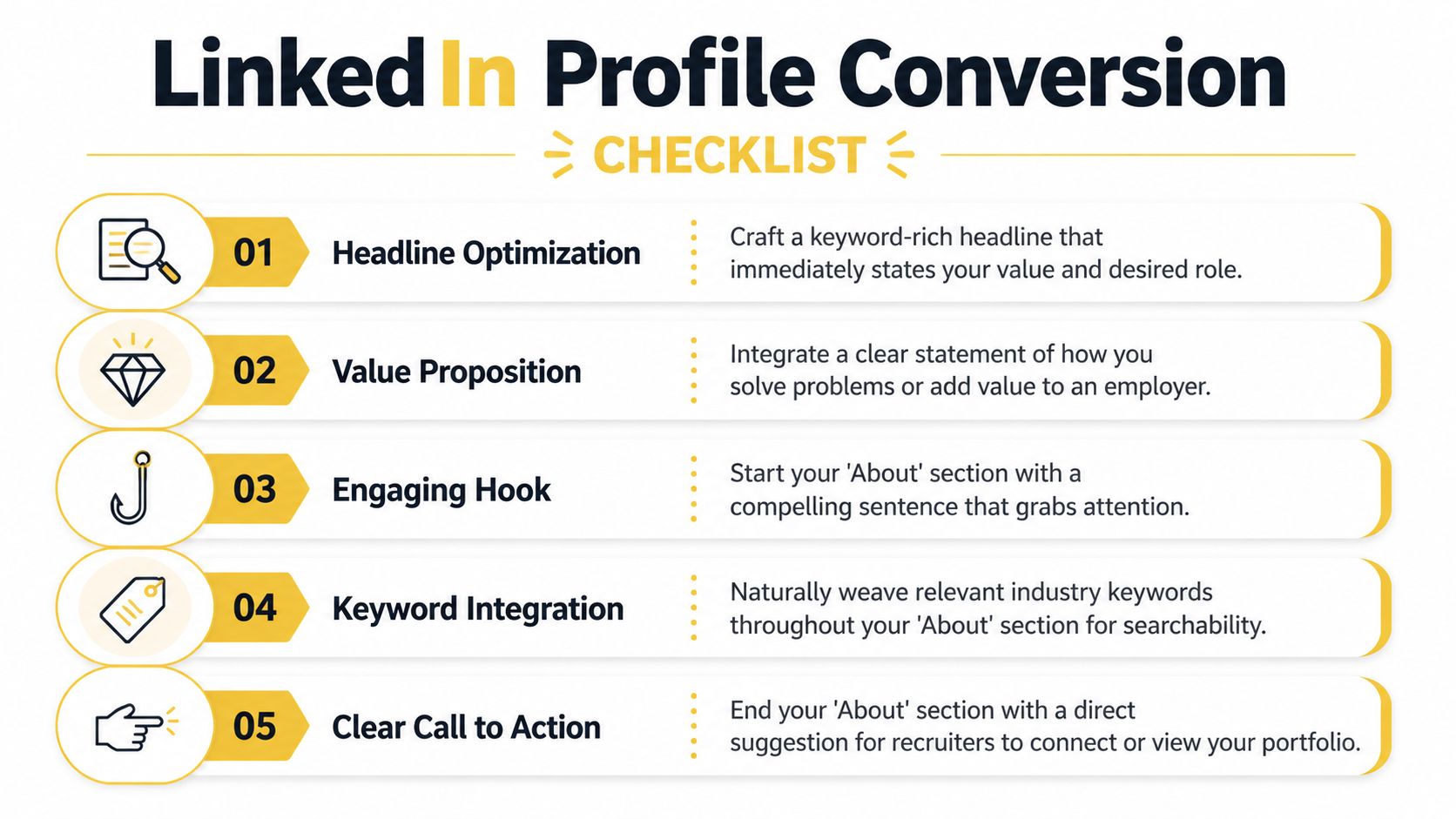
Your headline should do more than identify you
A weak headline says who you are. A strong headline says what roles you match.
The best headlines usually combine:
- target role
- specialty
- a few matching keywords
- a signal of direction or value
If you’re a web developer, don’t rely on one title. LinkedIn guidance shows that using multiple variations such as “web developer,” “website developer,” and “software developer” can expand the recruiter searches you appear in, especially when those terms align with the roles you want.
Here’s the difference.
| Weak headline | Better headline |
|---|---|
| Marketing Manager at ABC Company | **Marketing Manager |
| Software Engineer | **Software Engineer |
| Open to Work | Operations Professional Seeking Supply Chain and Logistics Roles in Chicago |
That last point matters. Generic job-seeking language alone is weak. But job-seeking language paired with role and location signals is useful.
The About section is your searchable pitch
The opening lines matter most because only the first 265-275 characters appear before the “See More” cutoff in LinkedIn’s About section, which makes that opening segment your most valuable text real estate (Agilemania on LinkedIn profile optimization).
That means your first lines should not start with a long personal reflection. Put the match signal first.
A stronger opening usually includes:
- your target role or role family
- your key skill cluster
- the industry or business context
- your location or location target if relevant
- an immediate proof point or positioning statement
Use role variation and location language
One of the simplest improvements is also one of the most overlooked. LinkedIn profile guidance recommends adding multiple job title variations and location-specific job-seeking language directly in the About section because it broadens the recruiter queries your profile can appear in.
That can look like this:
Experienced web developer seeking front-end developer positions in the Greater Philadelphia Area. Background includes website development, software development, and work across Java, HTML, CSS, WordPress, and Squarespace.
Or this:
Marketing professional actively seeking digital marketing and content marketing positions in New York City. Experience includes campaign strategy, brand messaging, and content planning.
That isn’t keyword stuffing if it reads naturally. It’s search alignment.
Templates that actually work
Here are practical formulas I recommend.
Experienced professional
Use this when you already have relevant experience and want recruiters to see a direct fit.
Formula
Target role + specialty + evidence of impact + industries or functions + location signal
Example
Operations leader with experience improving cross-functional processes across logistics and vendor management. Known for building clearer workflows, strengthening team coordination, and delivering measurable operational improvements. Open to operations manager and supply chain roles in Dallas.
Career changer
Use this when your current title doesn’t match the roles you want.
Formula
Transferable identity + target role + overlap skills + proof of readiness
Example
Customer-facing professional transitioning into customer success roles. Background includes account support, relationship management, problem resolution, and process documentation. Bringing a service mindset and strong cross-functional communication to customer success opportunities in remote and hybrid teams.
Recent graduate
Keep it skills-first and concrete.
Formula
Degree or training + role target + tools or capabilities + portfolio or project signal
Example
Recent computer science graduate seeking junior software developer opportunities. Built projects using Java, HTML, CSS, and front-end fundamentals, with a focus on clean user experiences and practical problem-solving.
If you need help drafting fresh wording, tools can help with ideation. For example, some candidates use generators to break writer’s block, then edit heavily for accuracy and voice. This tool to generate LinkedIn bios for creators can help with first drafts, but don’t paste output as-is. Refine every line so it sounds like a real professional, not a content template.
What not to write
Avoid these common headline and About mistakes:
Buzzword soup
“Visionary leader, results-driven innovator, synergy-focused strategist.” None of that improves searchability.Backstory overload
Your About section is not the place for your full life story.Skill dumping without context
A pile of terms doesn’t create a convincing profile.No direction
If recruiters can’t tell what roles you want, they won’t guess.
Write for two readers at once. The algorithm needs relevance signals. The recruiter needs a clear, credible reason to keep reading.
Frame Your Experience and Skills for Recruiter SEO
A recruiter opens LinkedIn Recruiter, types a title, adds a few skill filters, and scans the first page. Your profile does not lose at the headline stage. It loses here, in Experience and Skills, where vague wording gives both the recruiter and the AI matching system too little to work with.
That matters more in 2026 because recruiter search is no longer just keyword matching. Search tools weigh title relevance, skill alignment, recent role context, and whether your profile reads like a real fit for the req. If your experience sounds generic, you get buried under candidates with clearer signals.
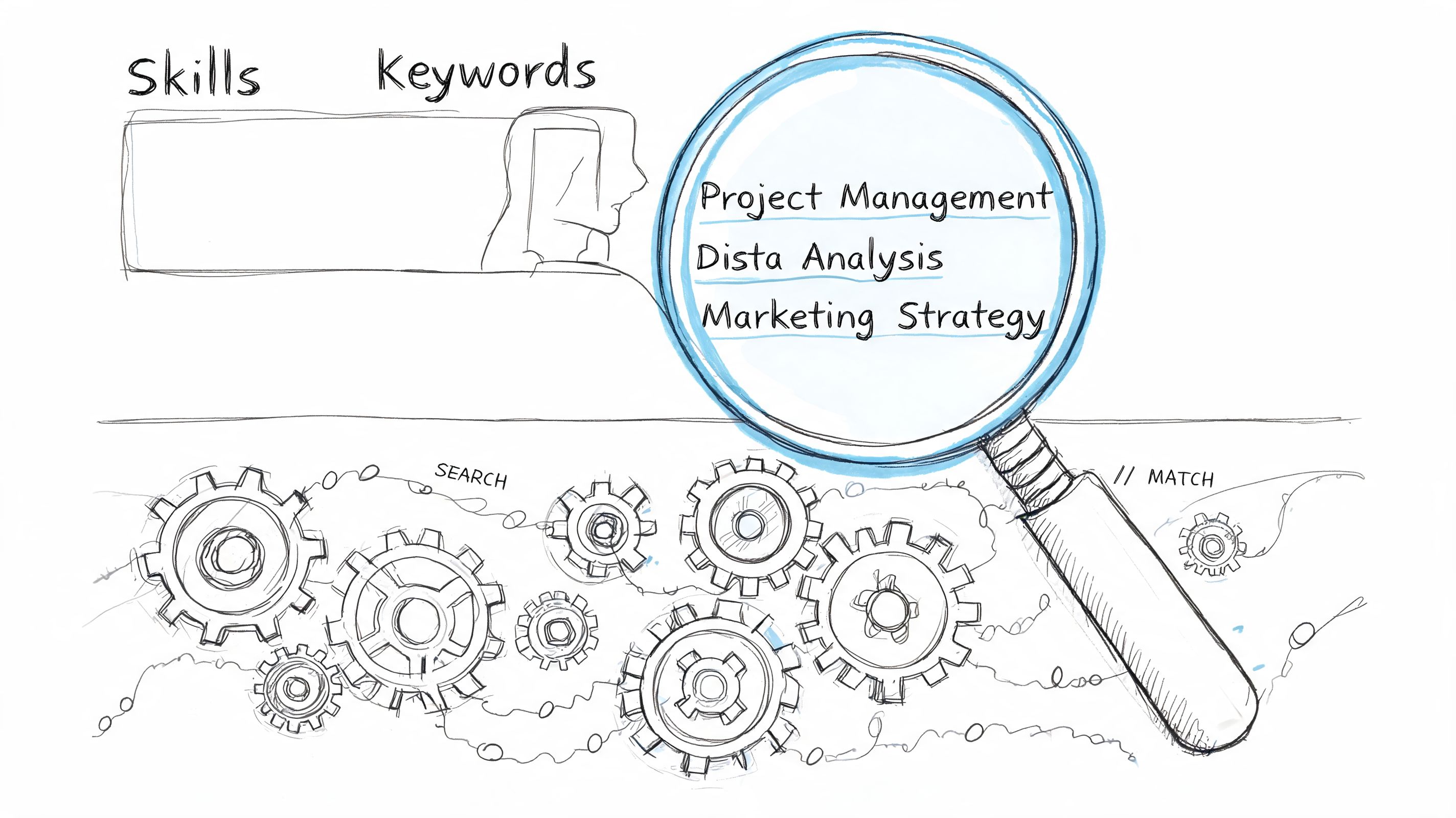
Write for search ranking and human judgment
A weak entry reads like an HR file.
- Managed campaigns
- Worked with cross-functional teams
- Responsible for client communication
None of that helps much. It does not show scope, it does not show outcomes, and it does not give the platform enough usable context about how you work.
Stronger entries combine four elements: role language, business context, tools, and results. A recruiter searching for a lifecycle marketer, customer success manager, or data analyst is looking for evidence in that format because it helps them decide fast. LinkedIn’s search systems also read those same clues to classify your profile against open roles.
Use this pattern:
Action + area of ownership + tool or skill + business result
Here are practical rewrites.
Weak
Managed sales process improvements across key accounts.
Better
Improved sales operations across key accounts by simplifying handoffs, tightening follow-up, and reducing delays between account teams.
Weak
Responsible for partnerships.
Better
Built strategic partnerships with channel and referral partners to expand pipeline opportunities and support revenue growth.
Stronger, if you can verify the number
Generated $2.5M in new revenue through strategic partnerships.
The shift is simple. Show what changed because you were there.
Reverse-engineer recruiter searches from job descriptions
Start with target jobs, not your old profile. Pull 8 to 12 current listings for the roles you want. Then mark the terms that repeat across companies.
Focus on five buckets:
- target title variations
- hard skills
- platforms and tools
- industry or business context
- seniority and scope terms
For example, a product marketer might keep seeing go-to-market strategy, product positioning, competitive analysis, sales enablement, and lifecycle campaigns. A software engineer might see React, TypeScript, APIs, cloud infrastructure, and system design. Those repeated phrases belong in your profile where they fit naturally.
That last part matters. Stuffing keywords into a wall of text hurts readability and makes recruiters suspicious. Clear phrasing wins.
Where to place the right terms
| Profile section | Best use |
|---|---|
| Headline | Core title and specialty terms |
| About | Target direction and broader expertise themes |
| Experience | Skills in context, tools used, business outcomes |
| Skills | Prioritized list of relevant capabilities |
If you are changing direction, use current target terms alongside accurate descriptions of your past work. That is how you stay honest while still becoming searchable. For more profile positioning examples, review these LinkedIn profile strategies that help you stand out in recruiter search.
Keep LinkedIn and your resume aligned
Recruiters compare documents. They do it quickly, and mismatches create doubt.
Your resume and LinkedIn do not need to be identical line for line, but they should tell the same professional story. Titles, dates, target role, and top achievements should line up. If your resume says Customer Success Manager and your LinkedIn headline says Operations Leader, you force the recruiter to solve a puzzle they did not ask for.
I tell clients to treat LinkedIn as the expanded version of the resume. The resume is tighter. LinkedIn gives you room for context, selected projects, and richer keyword coverage. The positioning should still match.
If a recruiter checks your resume against LinkedIn side by side, the direction should feel consistent and current.
Build a Skills section with ranking logic
The Skills section is not a trophy case. It is an indexing system.
Candidates hurt themselves by adding every soft skill, every outdated tool, and every one-time platform they touched three years ago. A shorter list with tight relevance usually performs better because it sends a cleaner signal about what roles fit you now.
Use a strict filter for every skill:
- Can you defend it in an interview?
- Does it appear in your target job descriptions?
- Does it support the role family you want next?
If one answer is no, leave it off or move it lower in priority.
A strong mix usually includes:
Core role skills
The capabilities that define the target jobTechnical or tool skills
Specific platforms, languages, or systems you useFunctional strengths
Skills tied to execution, such as forecasting, stakeholder management, or experimentationTransferable strengths
Useful support skills, but never the center of the profile
There is a trade-off here. Broad skill coverage can help you appear in more searches, but it can also weaken your fit for the exact roles you want. If your job search is focused, optimize for precision first.
If you are targeting location-specific hiring processes, this guide on how to effectively use LinkedIn for Canadian jobs is a useful companion.
Clean up experience that confuses search tools
A lot of LinkedIn optimization is subtraction.
Trim or rewrite:
- old roles that no longer support your target direction
- internal titles that mean nothing outside your company
- repeated bullet phrasing across multiple jobs
- long duty lists with no scope or result
- generic soft-skill language with no evidence
If your official title was vague, keep the official title in place and clarify the work inside the description. For example, “Associate II” tells a recruiter nothing. “Owned onboarding, renewals, and adoption for a mid-market SaaS book of business” tells them a lot.
That kind of translation helps humans and search systems classify you correctly.
A quick walkthrough can help if you want to see profile writing mechanics in action:
Implement a Strategic Networking and Activity Playbook
A recruiter finds your profile in search, opens it, and hesitates. The profile looks solid, but there is no recent activity, no relevant comments, and no sign that you are connected to the people or topics in your target market. In 2026, that gap matters more than many candidates realize because AI-assisted recruiter tools do not evaluate your profile in isolation. They also surface context around relevance, recency, and network proximity.
That is why a strong LinkedIn job search runs on two tracks. Your profile creates the indexing signal. Your activity and networking create the reinforcement signal.
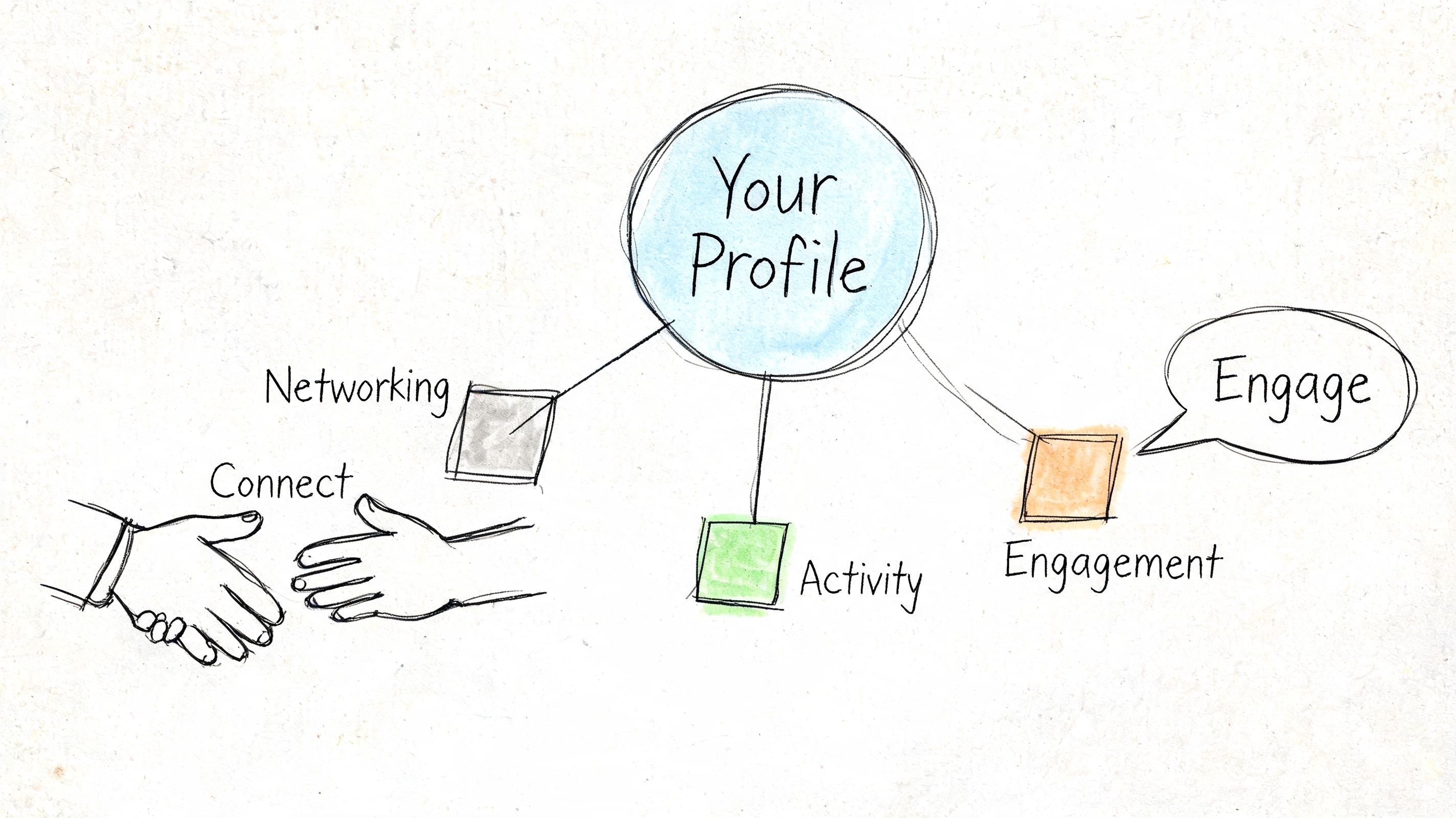
Turn profile strength into recruiter visibility
Once your headline, About section, experience, skills, and photo are aligned, the next job is distribution. A good profile with no activity often gets treated like a static resume. A good profile with relevant weekly signals looks current, engaged, and easier to trust.
I tell clients to stop treating LinkedIn activity like personal branding theater. Treat it like search support. The goal is not internet fame. The goal is to keep showing up around the right topics so recruiters, hiring managers, and referral sources see a consistent professional signal.
That consistency also sharpens how people remember you. If your photo presents you as polished and credible, and your comments and posts reinforce the same role direction, you become easier to place. That improves response rates and interview conversations.
A weekly cadence you can actually sustain
Use a simple rhythm. Consistency beats volume.
Early week
Comment on 3 to 5 posts in your field
Choose posts from recruiters, hiring managers, company leaders, or respected peers. Add a concrete point, a short example, or a useful disagreement. Comments are often the fastest way to appear in the right circles without publishing every day.Engage with target companies
Follow the companies on your list. If they post about product launches, hiring, operations, or market expansion, respond where you can add context. That puts your name near the team before you ever apply.
Midweek
Publish one useful post
Share a pattern from your work, a lesson from a project, an opinion on a tool, or a practical mistake to avoid. Keep it close to the job you want next. If you are targeting RevOps roles, post about pipeline hygiene or forecasting. If you are targeting product marketing, post about messaging, launches, or win-loss insights.Send 5 to 10 targeted connection requests
Focus on recruiters in your function, hiring managers, alumni, former colleagues, and peers one level ahead of you. A smaller, relevant batch works better than mass outreach.
Late week
Follow up with context
If someone accepts, send a short message that gives them a reason to remember you. Mention the shared function, the team you follow, or the topic you discussed in comments.Check your signal alignment
If your activity says one thing and your profile says another, fix it. AI-assisted search tools and human reviewers both notice mixed positioning.
What to send in connection requests
Short wins.
Use these formats:
| Situation | Better connection note |
|---|---|
| Recruiter | Hi [Name], I work in [field] and I’m exploring [target role] opportunities. I’d be glad to connect and follow your updates. |
| Hiring manager | Hi [Name], I’ve been following your team’s work in [area]. I’m targeting [role type] roles and would value staying connected. |
| Peer in your field | Hi [Name], we work in similar areas around [topic/skill]. I’d love to connect and keep up with your perspective. |
A few rules matter here. Do not ask for a job in the first message. Do not paste your resume into the note. Do not write a 200-word introduction no one will read on mobile.
Good networking on LinkedIn feels familiar, specific, and low pressure.
Comments do more work than posts for many job seekers
Candidates often assume they need to post constantly to get noticed. In practice, high-quality comments usually produce better returns early in a job search because they put your name in front of established audiences.
Strong comments usually do one of four things:
- add a brief example from your work
- clarify a practical implication
- offer respectful disagreement with reasoning
- extend the original point with useful nuance
Weak comments say “Great post” and disappear.
If you want more ideas for building visibility without sounding performative, this guide on how to stand out on LinkedIn pairs well with a profile-first strategy.
Keep your activity tightly connected to your target role
Candidates often lose momentum by cleaning up the profile, then filling the feed with generic motivation, unrelated news, or broad career advice that has nothing to do with the role they want.
Recruiters notice that disconnect quickly.
If your profile positions you for customer success leadership, your activity should reflect retention, onboarding, expansion, adoption, stakeholder management, and revenue impact. If your target is data analytics, your activity should reflect dashboards, business questions, data quality, experimentation, and decision support. Relevance helps people classify you fast. AI-powered search systems benefit from the same clarity.
Regional context matters too. Hiring norms, networking etiquette, and recruiter behavior are not identical across markets. If your search is location-specific, this guide on how to effectively use LinkedIn for Canadian jobs is a useful companion.
Conduct Your Pre-Launch Audit and Measure Success
Before you start applying heavily, do a final audit. This catches the quiet issues that undermine good profiles, especially visibility settings, search signals, and internal consistency.
Treat this like launch prep. A strong LinkedIn profile isn’t just written well. It’s configured well.
Your settings checklist
Use the table below before you start outreach or job applications.
| Setting Area | Action to Take | Why It Matters |
|---|---|---|
| Profile visibility | Make sure your profile is visible to the appropriate audience and your public profile is enabled where appropriate | Recruiters can’t evaluate a profile they can’t fully access |
| Profile photo visibility | Set your profile image visibility to “All LinkedIn Members” or “Public” | Public visibility supports broader discoverability and search engine indexing, according to the profile image guidance cited earlier |
| Open to Work | Turn on job-seeking settings in the way that fits your situation | This helps recruiters interpret your availability without forcing a public signal if you need discretion |
| Headline alignment | Confirm your headline matches your target role | Mixed signals reduce recruiter confidence |
| About opening | Re-read the first lines before the “See More” cutoff | This is often the only About text a recruiter sees initially |
| Experience relevance | Remove or shorten roles that don’t support your current direction | Cleaner profiles are easier to scan |
| Skills focus | Keep skills relevant and current | A focused list performs better than a scattered one |
| Custom URL | Replace the default URL with a clean version of your name | It looks more professional on resumes and applications |
| Featured content | Add portfolio, writing, or project examples if relevant | This gives recruiters proof beyond your claims |
| Notification settings | Reduce noisy alerts that make LinkedIn distracting | A usable workflow helps you stay active consistently |
Watch the right signals
Once your profile is live, pay attention to trends, not vanity.
The most useful indicators are:
- search appearances
- profile views
- recruiter messages
- connection requests from relevant people
- quality of inbound interest
If profile views rise but recruiter outreach doesn’t, the issue is usually conversion. Your profile is being seen but not compelling enough. If outreach improves but is off-target, your keyword mix may be too broad. If nothing moves, your profile may still be under-optimized for search.
Audit your profile like a recruiter
Every few weeks, review your profile as if you were hiring for your target role.
Ask:
- Is my target role obvious in seconds?
- Do my headline and About section use the language recruiters search?
- Does my photo look current and credible?
- Do my experience entries show outcomes, not just responsibilities?
- Does my skills list support one clear direction?
- Would a recruiter know whether to contact me, and for what?
That last question matters most. Confusion kills momentum.
A good LinkedIn profile doesn’t try to appeal to everyone. It makes the right recruiter think, “This person fits what I’m searching for.”
If you approach LinkedIn this way, you stop treating it like a static resume copy and start using it as a job search asset that can improve over time.
A polished photo is often the first thing that gets a recruiter to stay on your profile long enough to read the headline you worked hard to optimize. If your current image is outdated, inconsistent, or not strong enough for the roles you want, FaceJam can help you create professional-grade headshots from everyday selfies. It’s a fast way to get a current, credible LinkedIn-ready image without booking a photographer, and it’s especially useful for job seekers, career changers, and teams that need consistent profile photos.


